NexCRM — Sales, service and marketing
One CRM for sales, service and marketing.
Customers, deals, tickets and campaigns live in a single workspace, with access control and a complete activity trail behind every action.
- Pipeline, quotes and orders
- Tickets with SLA tracking
- Role, field and record-level access
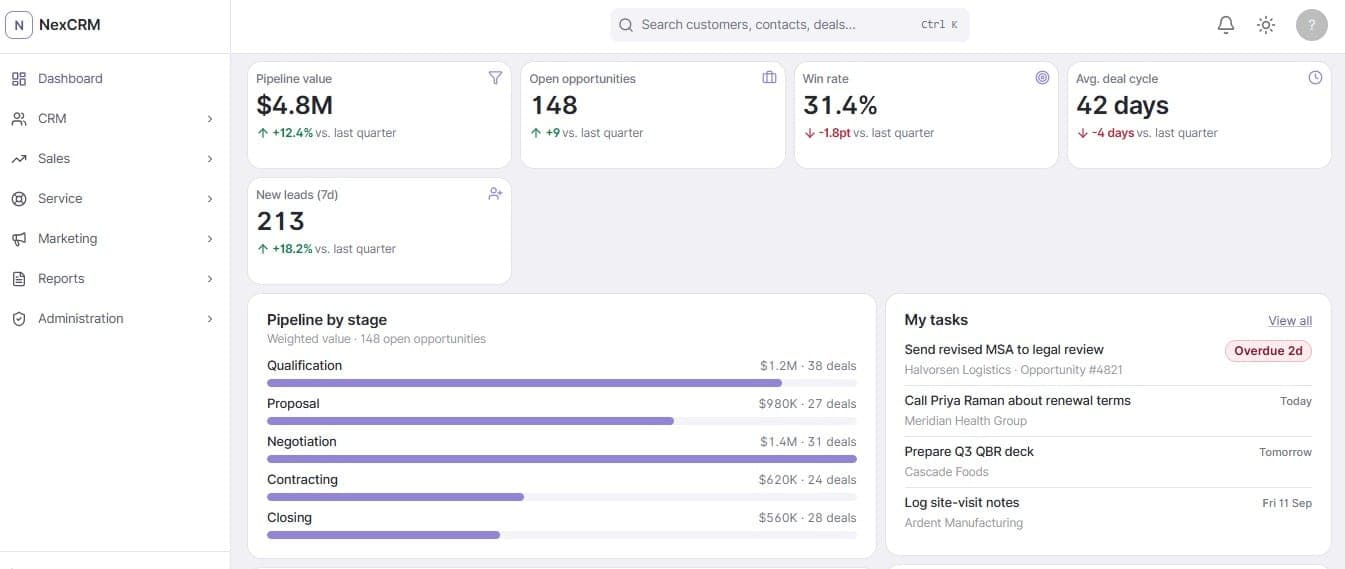
Every screen on this page is an unmodified NexCRM capture. All names, companies and figures shown in them are seeded demo data.
Six modules over one set of records.
A customer opened from a deal, a ticket or a campaign is the same customer. Nothing here is a separate system stitched together after the fact.
CRM
Customers, contacts, leads, opportunities, activities, tasks and notes.
Sales
Products, price lists, quotes, orders and sales targets.
Service
Tickets, SLA policies, knowledge base and documents.
Marketing
Campaigns, segments and marketing analytics.
Reports
Operational reporting across the modules above.
Administration
Users, roles, teams, departments and security settings.
Know exactly where every deal stands.
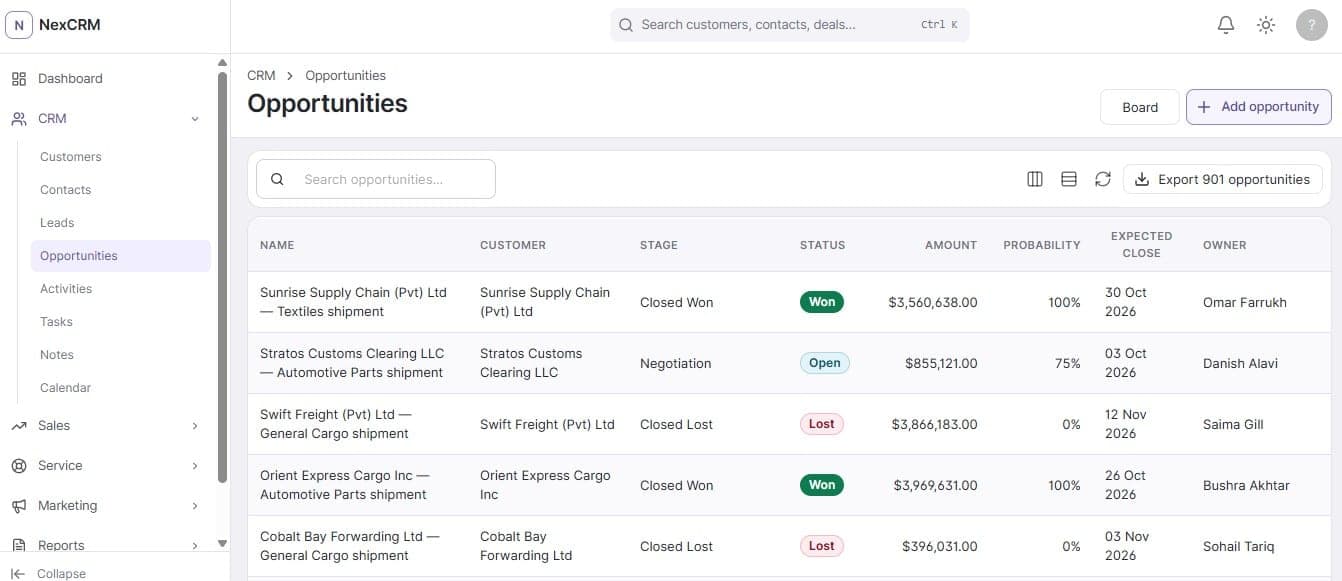
Opportunities move through named stages with an amount, a probability and an expected close date, so the pipeline on the dashboard is the same record a rep edits.
A pipeline with stages, not labels
Qualification, Proposal, Negotiation, Contracting and Closing each carry their own weighted value and deal count.
Owned and forecastable
Every opportunity carries an owner, a probability and an expected close date, and the dashboard reports win rate and average deal cycle over those same records.
Quotes that keep their history
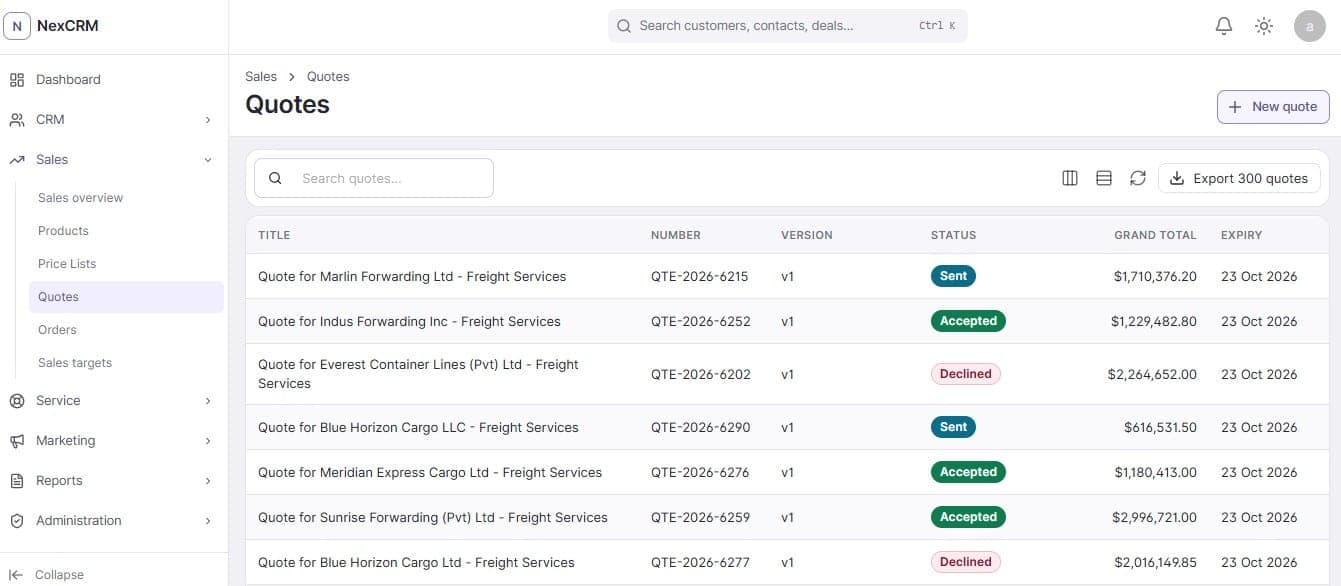
Quotes are versioned and carry a status of sent, accepted or declined, a grand total and an expiry date.
Priced from a catalogue
Products, price lists and orders sit in the same Sales module, so a quote is built from records rather than typed from scratch.
Keep support work on track.
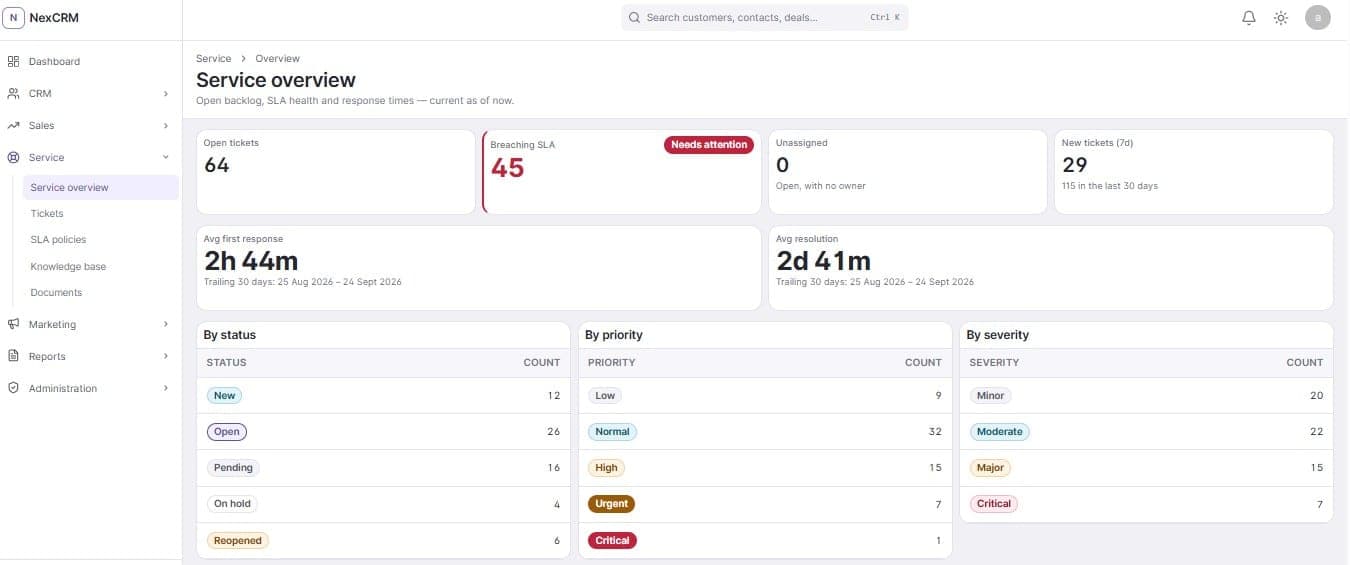
Tickets carry a priority, a severity and a resolution due date. The overview reads those same fields back as open backlog, SLA health and response times.
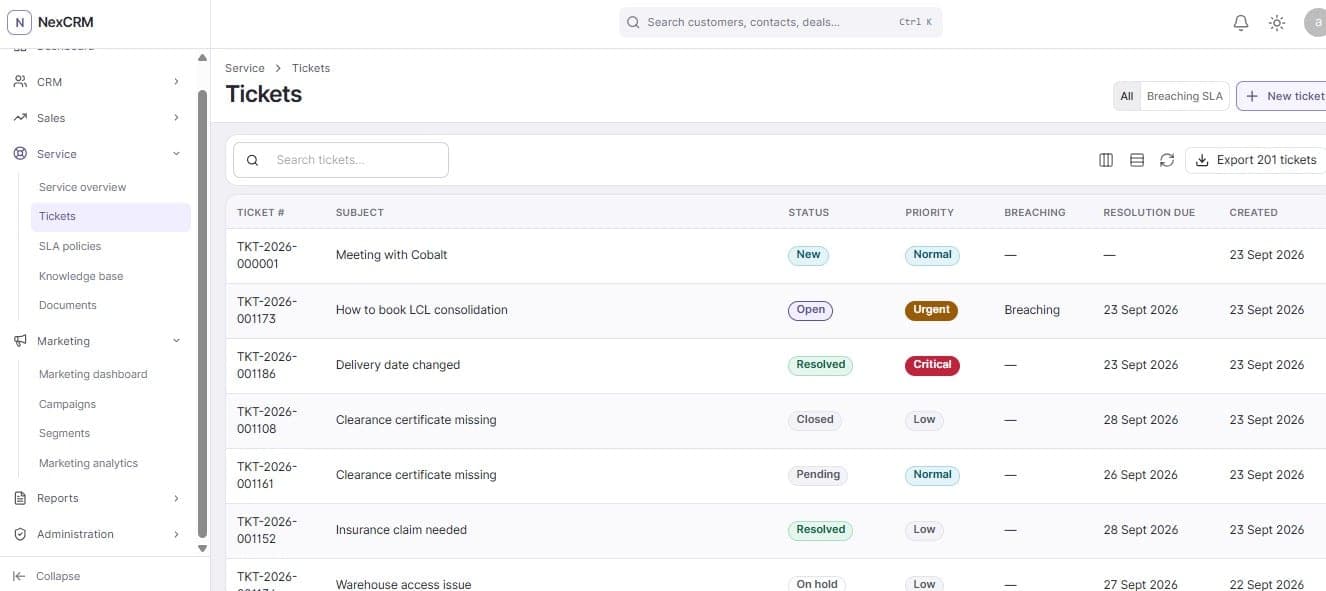
SLA breaches are a column, not a report
A ticket shows whether it is breaching and when it is due, and the list filters down to just the breaching ones.
Response and resolution, measured
Average first response and average resolution are computed over a trailing thirty day window rather than quoted as a target.
Backlog you can act on
The overview splits open work by status, priority and severity, and surfaces unassigned tickets separately.
Knowledge base and documents alongside
SLA policies, published knowledge base articles and customer documents live in the same Service module as the tickets they support.
Run campaigns from the same customer records.
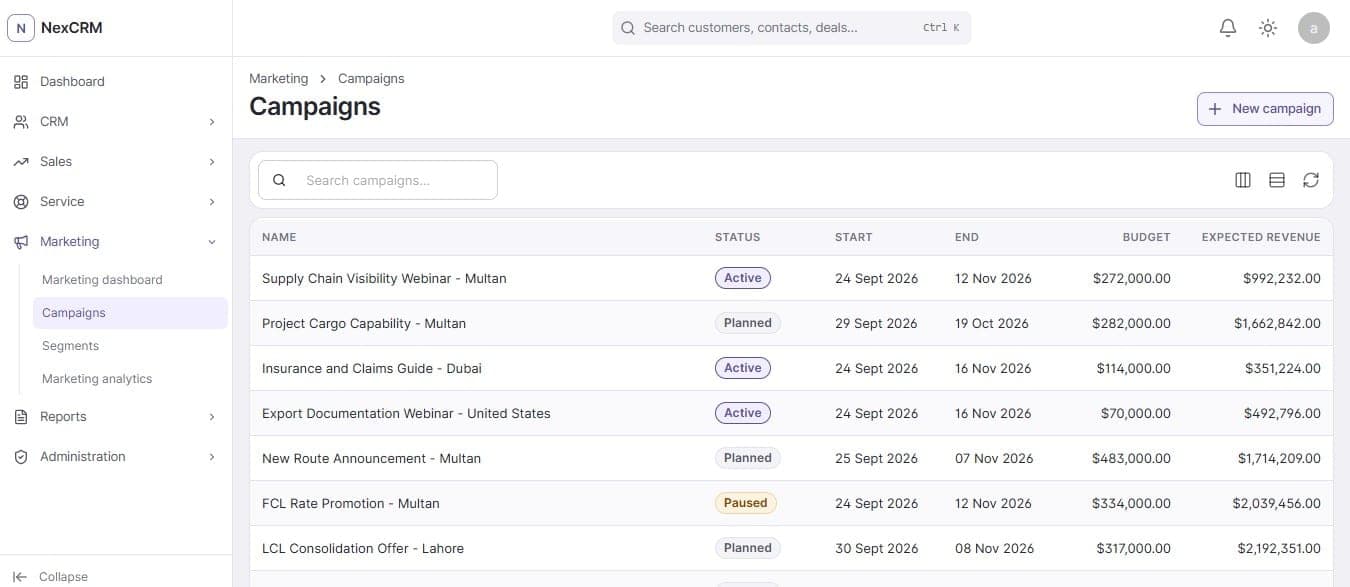
Campaigns are planned with a budget, a date range and an expected return, against the customers and contacts already in the CRM.
Budget and expected revenue per campaign
Each campaign carries its own budget and expected revenue, which the dashboard totals across the programme.
A real lifecycle
Campaigns move between planned, active and paused rather than existing as a flat list.
Segments, not exports
Audiences are built as segments inside the CRM, so campaign membership stays attached to the customer record.
Measured in the same place
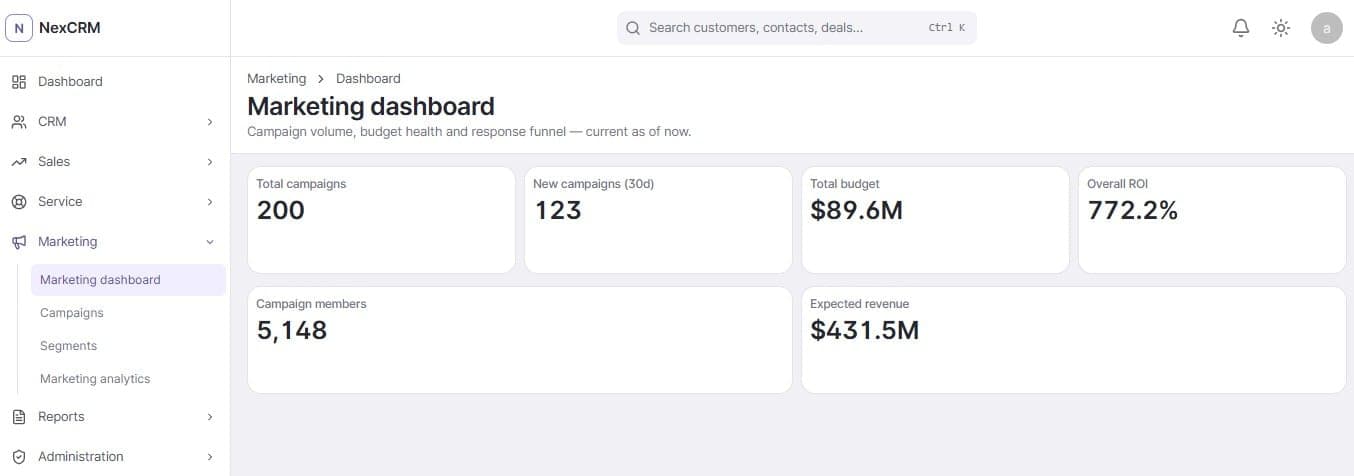
Marketing analytics reads campaign volume, budget health and the response funnel from the records above.
Access control that goes past the login screen.
Authorization is deny-by-default and enforced on the server. The client hides what a user cannot do, but hiding it is not what stops them.
Authorization model
Module
Whether the user reaches CRM, Sales, Service, Marketing, Reports or Administration at all.
Screen
Which screens inside a permitted module are reachable.
Action
What may be done there: read, create, edit, delete, approve, export.
Field
Which fields on a permitted record are readable or writable.
Record
Which rows are in scope: their own, their department's, or the organization's.
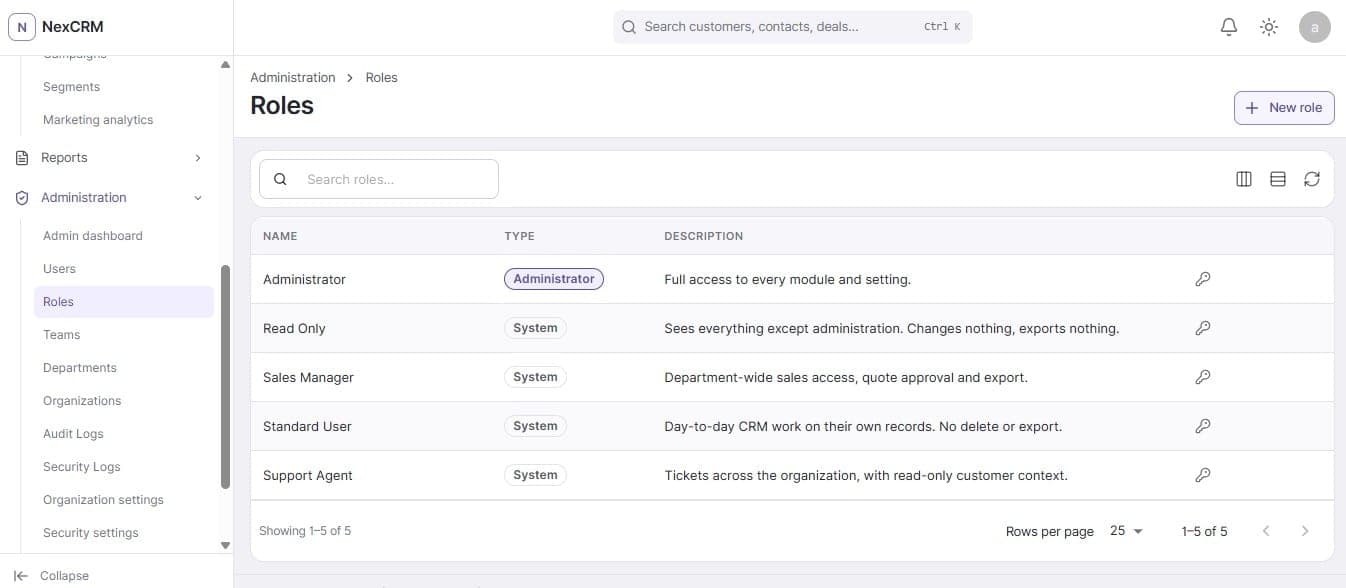
Roles describe limits, not job titles
Read Only changes nothing and exports nothing. Standard User works on their own records with no delete or export. Support Agent sees tickets organization-wide with read-only customer context.
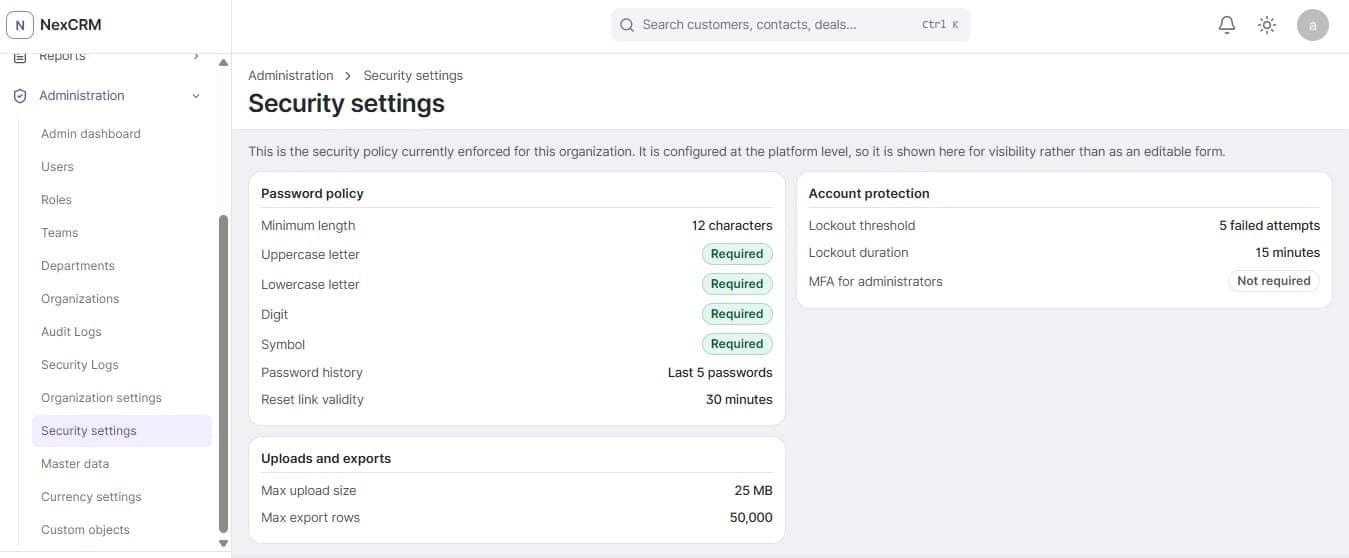
Password and lockout policy is enforced, and visible
Minimum length, character classes, password history and reset-link validity are policy, and the lockout threshold and duration are shown rather than described.
Uploads and exports have ceilings
Maximum upload size, permitted file types and a maximum export row count are configured settings, so a document store and a CSV export cannot be used to drain the system.
Controls in the product
- Deny-by-default authorization
- Role and permission management
- Field-level access control
- Record-level scoping
- Permission-aware exports
- Audit logging
- Security event logging
- Token rotation and session protection
- Login lockout protection
- Rate-limited exports
- File type and size validation
Know what happened, who did it, and what changed.
Important actions are recorded with the user, the module, the entity and the result. Where a value changed, the entry carries what it was and what it became.
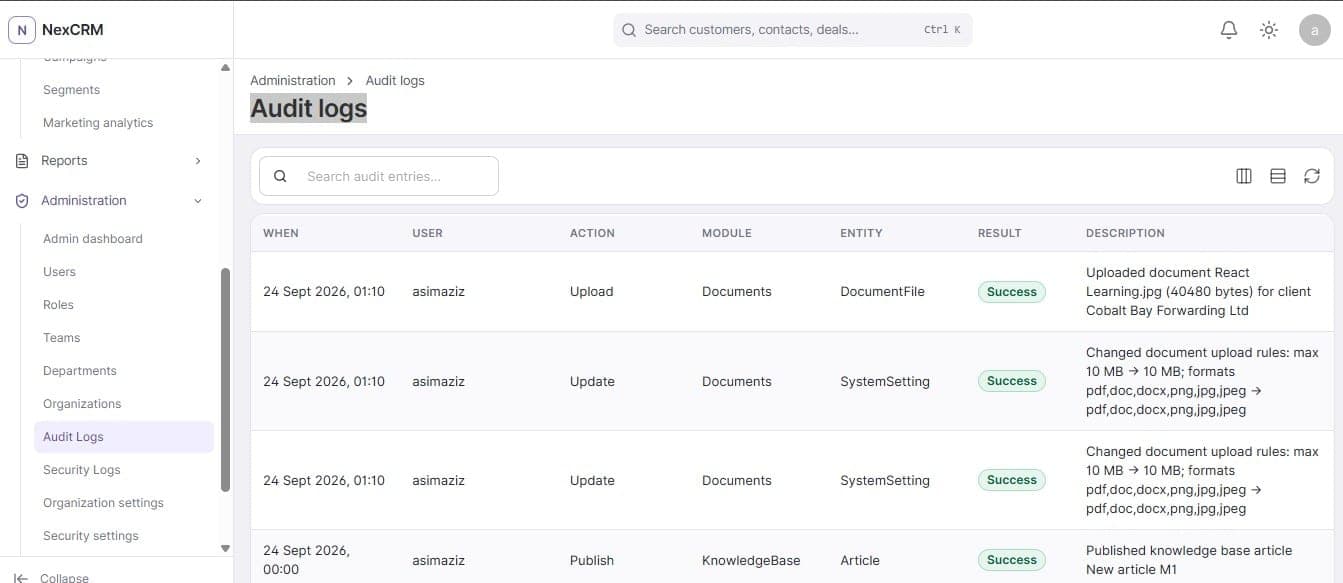
Before and after, in the entry itself
A settings change records the old and new values inline, so the log answers what changed without a second lookup.
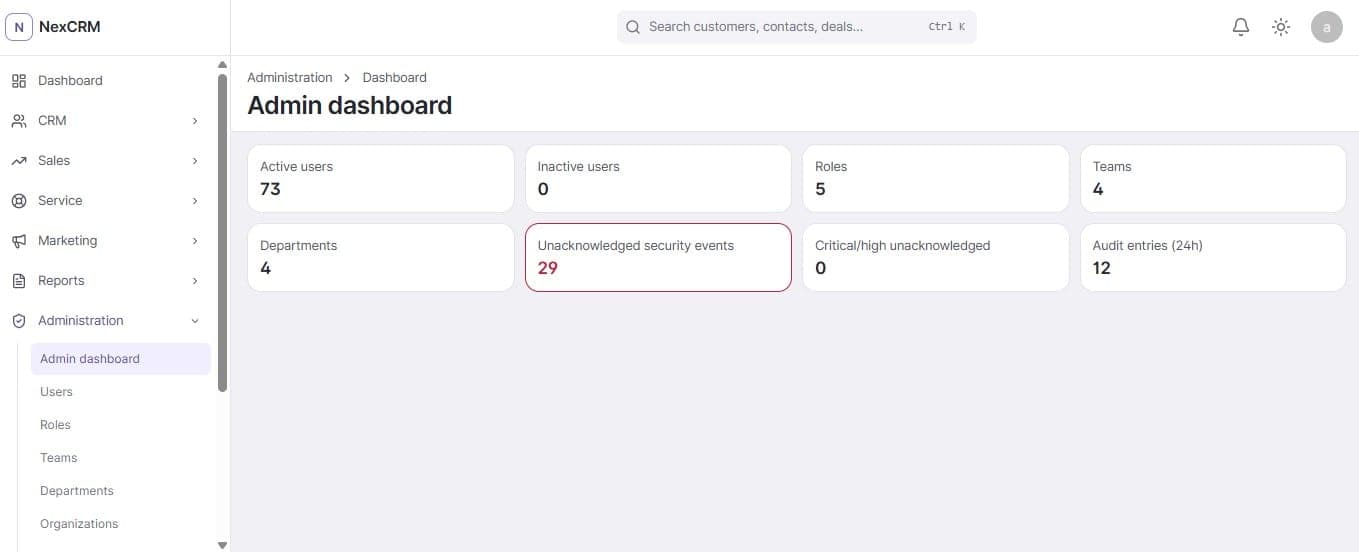
Security events are counted separately
The admin dashboard tracks unacknowledged security events and flags critical or high ones, alongside the audit volume for the last day.
One place for the organization's structure
Users, roles, teams, departments, organizations, currency settings and custom objects are administered together.
Built as a product, not a demo.
A layered backend with server-side authorization on every protected operation, structured error handling and automated backend tests.
- Backend
- ASP.NET Core, EF Core
- Database
- SQL Server
- Frontend
- ReactJS, TypeScript, Vite
- UI and data
- MUI, TanStack Query
Layered architecture with clear module boundaries
Server-side authorization on every protected operation
Structured error handling with meaningful states
Automated backend testing
Built for a full working day.
Global search, filterable and sortable tables, pagination, CSV export and validation that explains itself. Navigation only shows what the signed-in user is permitted to open.
- Global search across customers, contacts and deals
- Filtering, sorting and pagination on every table
- CSV export, bounded by the configured row limit
- Permission-aware navigation
See NexCRM in action.
Walk through the pipeline, the service queue, the permission model and the audit trail on a live instance.